QR menu · POS · VAT billing
Take orders, run the kitchen and print VAT bills from one app
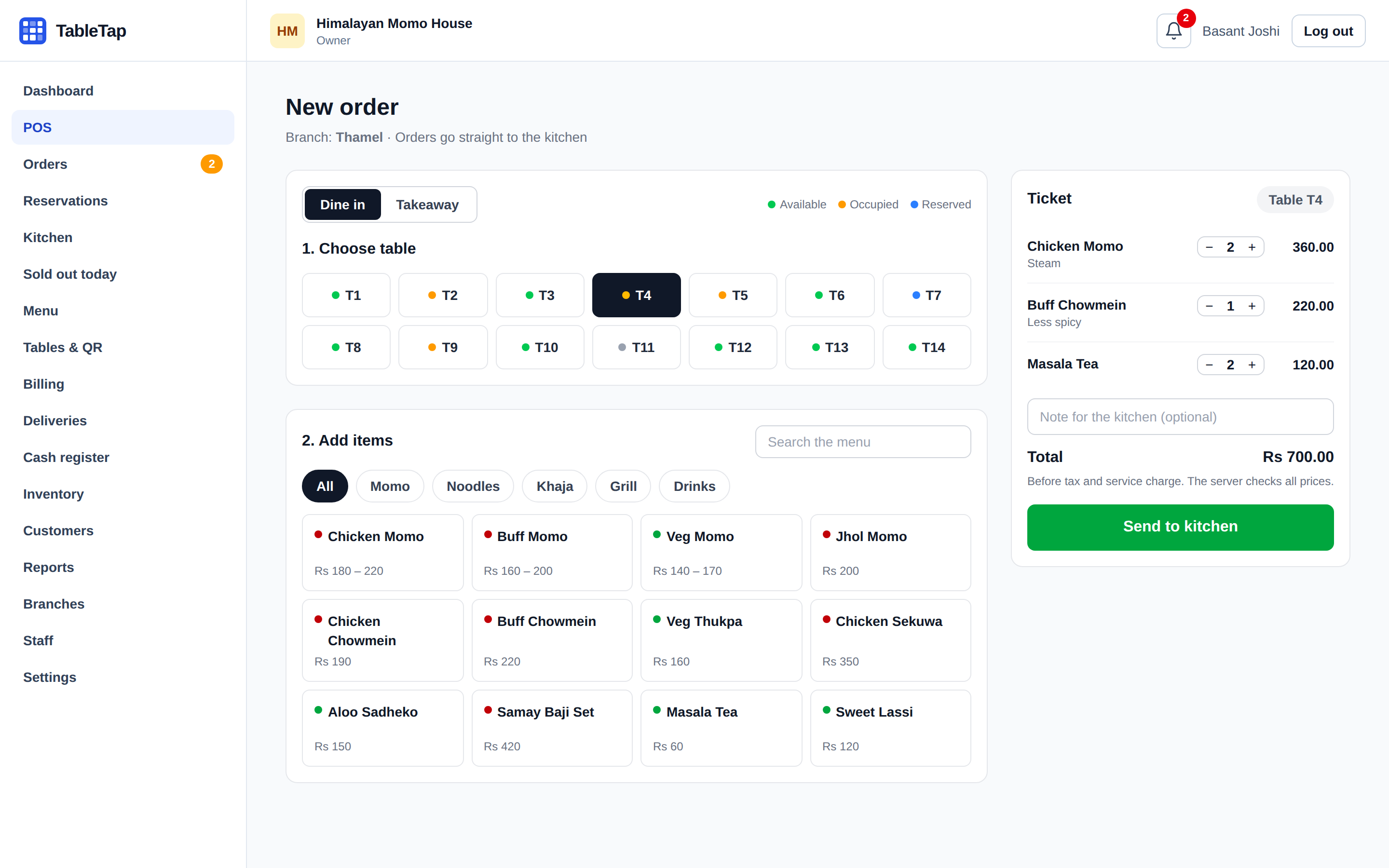
TableTap is built for restaurants and cafés in Nepal. Guests order from the table, the kitchen sees it straight away, and your cashier prints a correct bill in seconds.
14 days free with every feature. No card needed. Then from Rs 1,499 a month.
- 13% VAT, 10% service
- Calculated on every bill, in the right order
- eSewa, Khalti, Fonepay
- Plus cash, card and bank transfer
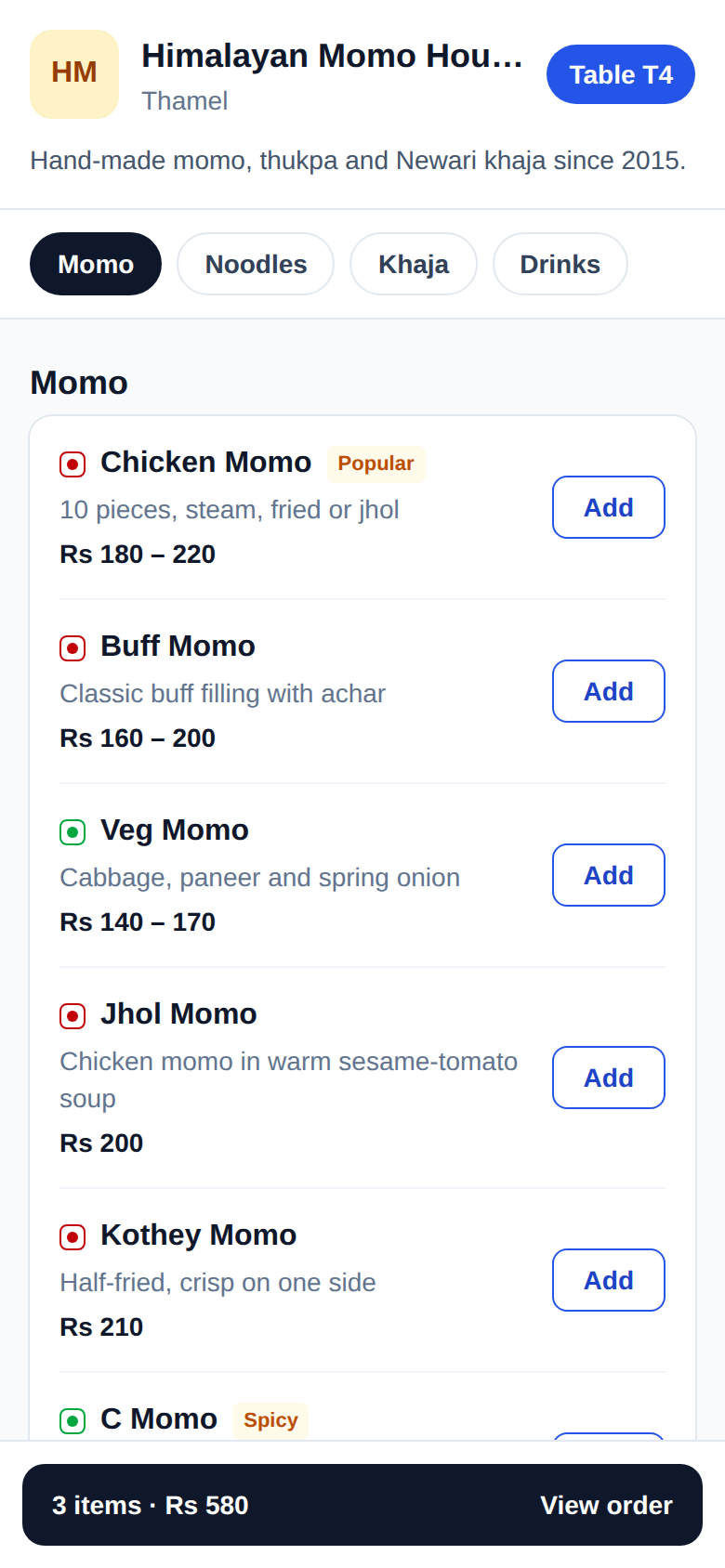
- No app for guests
- The menu opens from the table QR code
- Lakh and crore
- Amounts in words, the Nepal way
How an order moves through TableTap
From the table to the paid bill, without paper tickets or shouting across the kitchen.
-
01
Guest orders
Guests scan the QR code on the table and send their order. Waiters can also take it on the POS.
-
02
Kitchen cooks
The order appears on the kitchen screen with its notes. Cooks tap Start and Ready.
-
03
Cashier bills
One tap makes the VAT bill. Guests pay by cash, card, eSewa or Khalti.
QR ordering
Guests order from the table
Every table gets its own QR code. Guests scan it with their camera, see your menu with prices, choose steam or jhol and send the order.
- Sold-out dishes disappear from the menu straight away
- The same menu works for pickup and delivery
- Waiters can still take orders on the POS
Kitchen screen
The kitchen sees every order
Orders from tables, the counter and your online link arrive on one screen, oldest first. The timer shows what has waited too long.
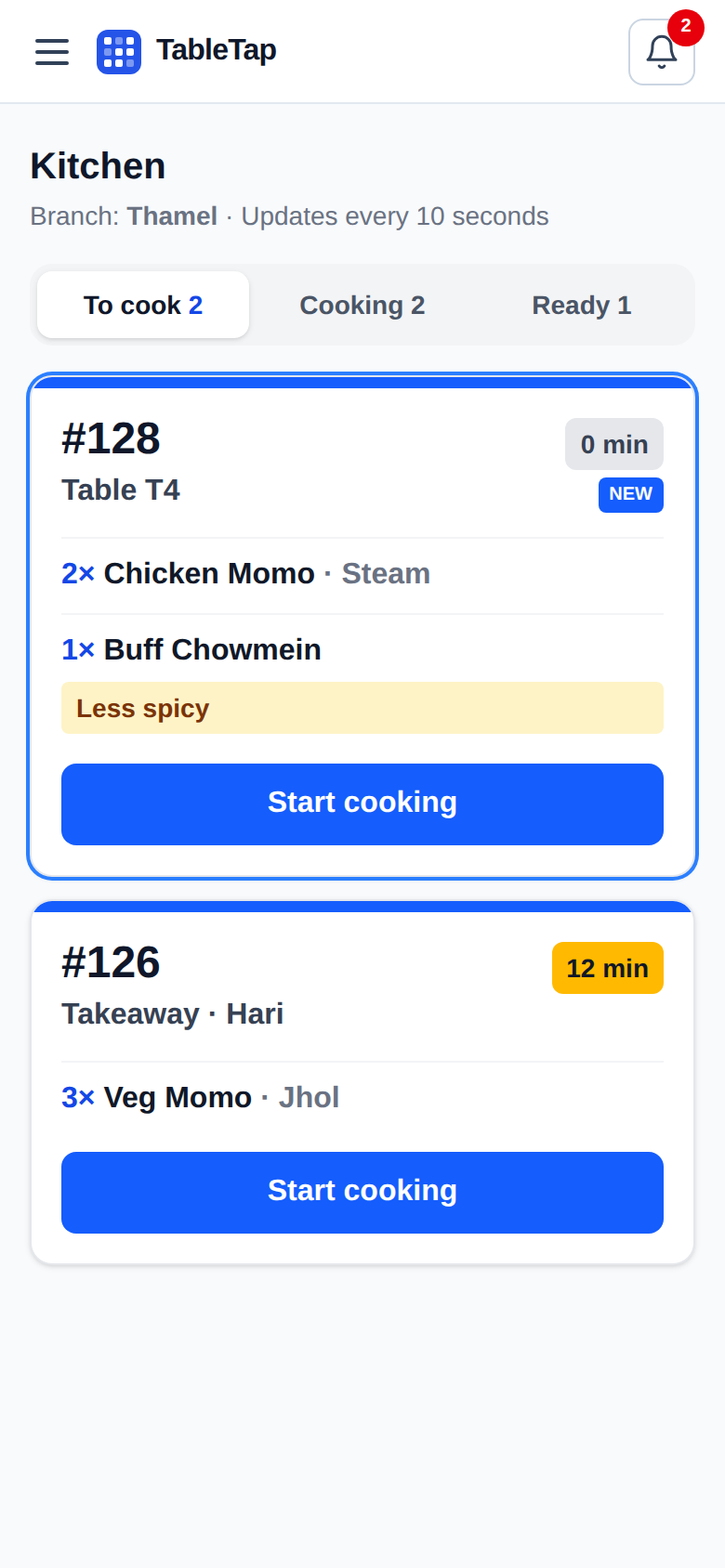
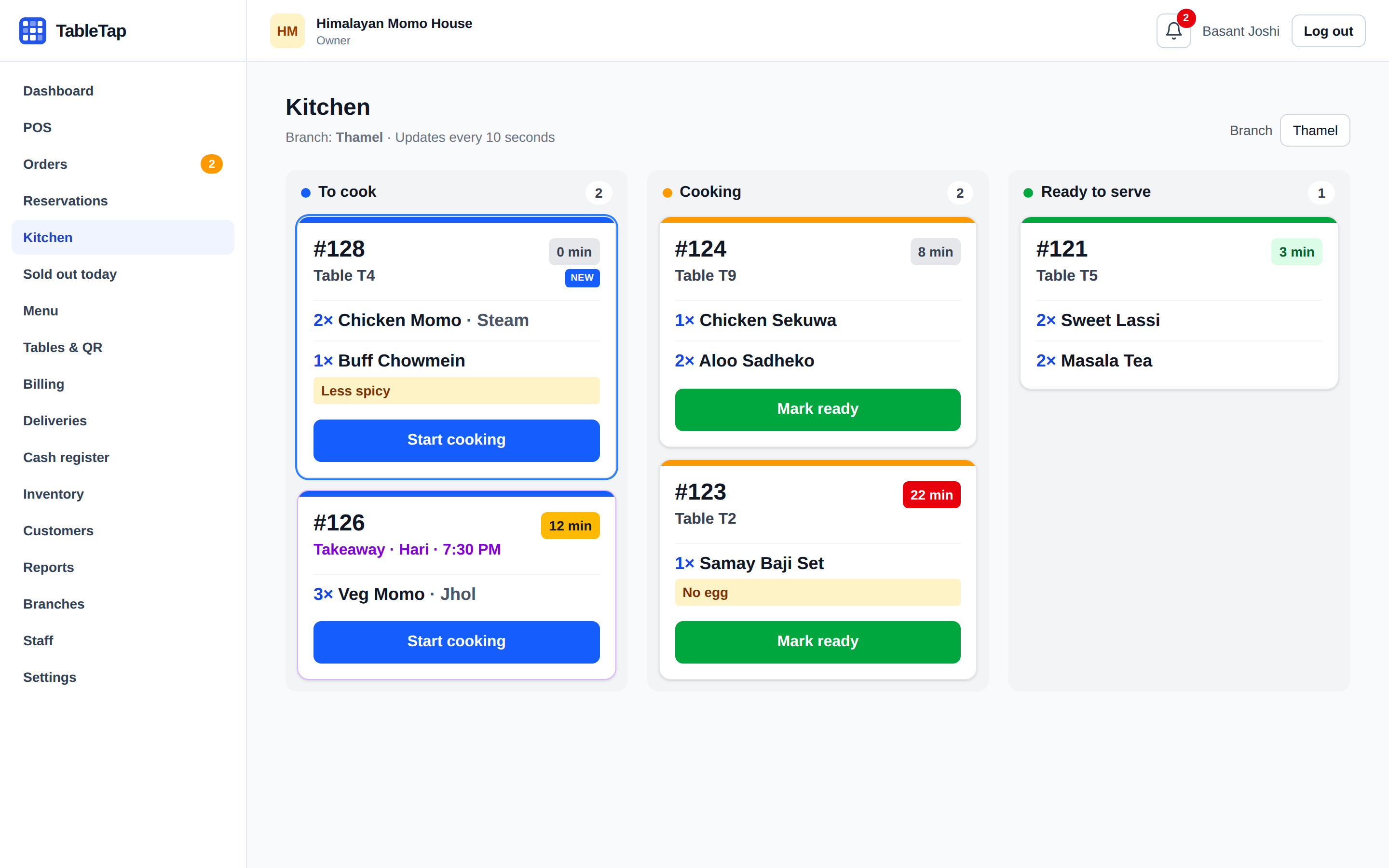
- Notes like "less spicy" are shown clearly
- Each branch sees only its own orders
- A sound for new online orders and bookings
Reports
Know your numbers every day
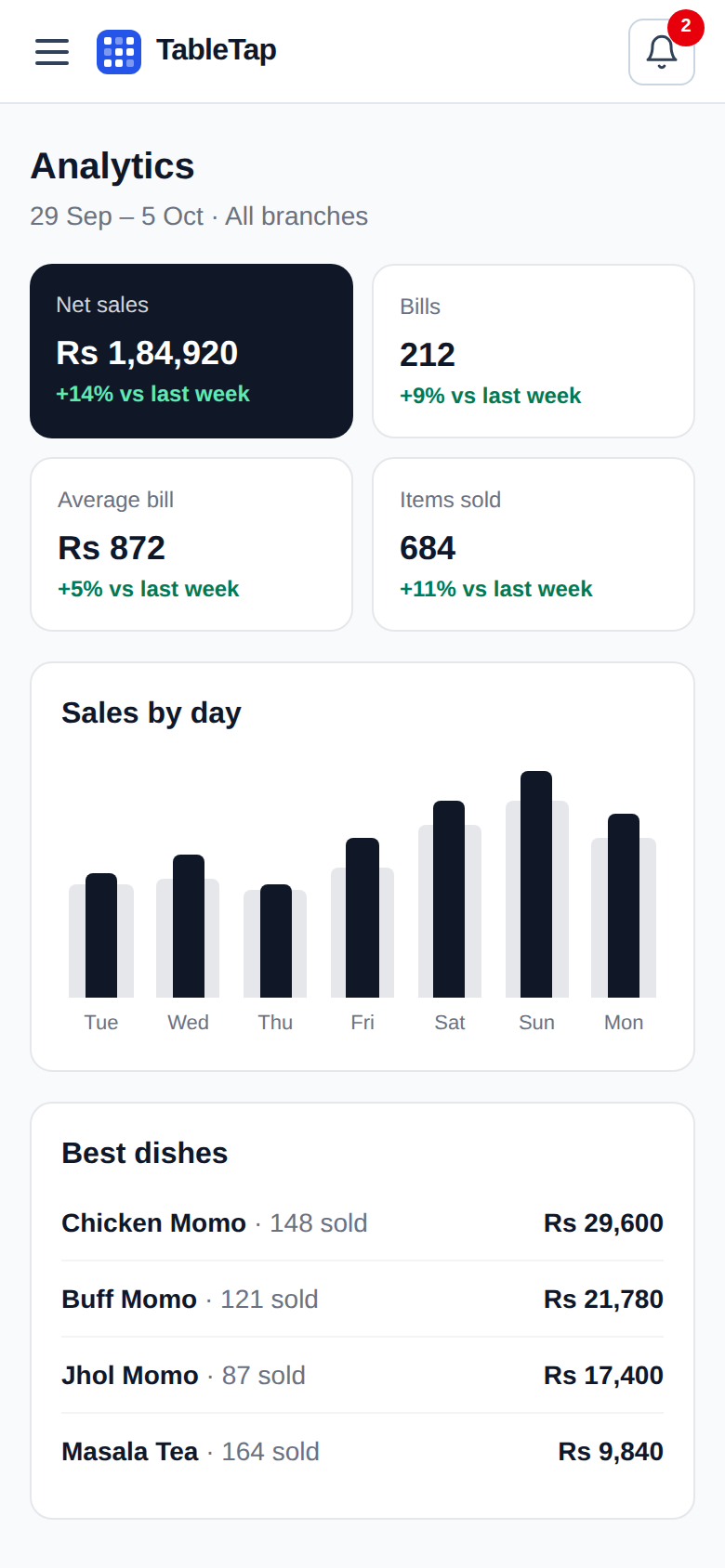
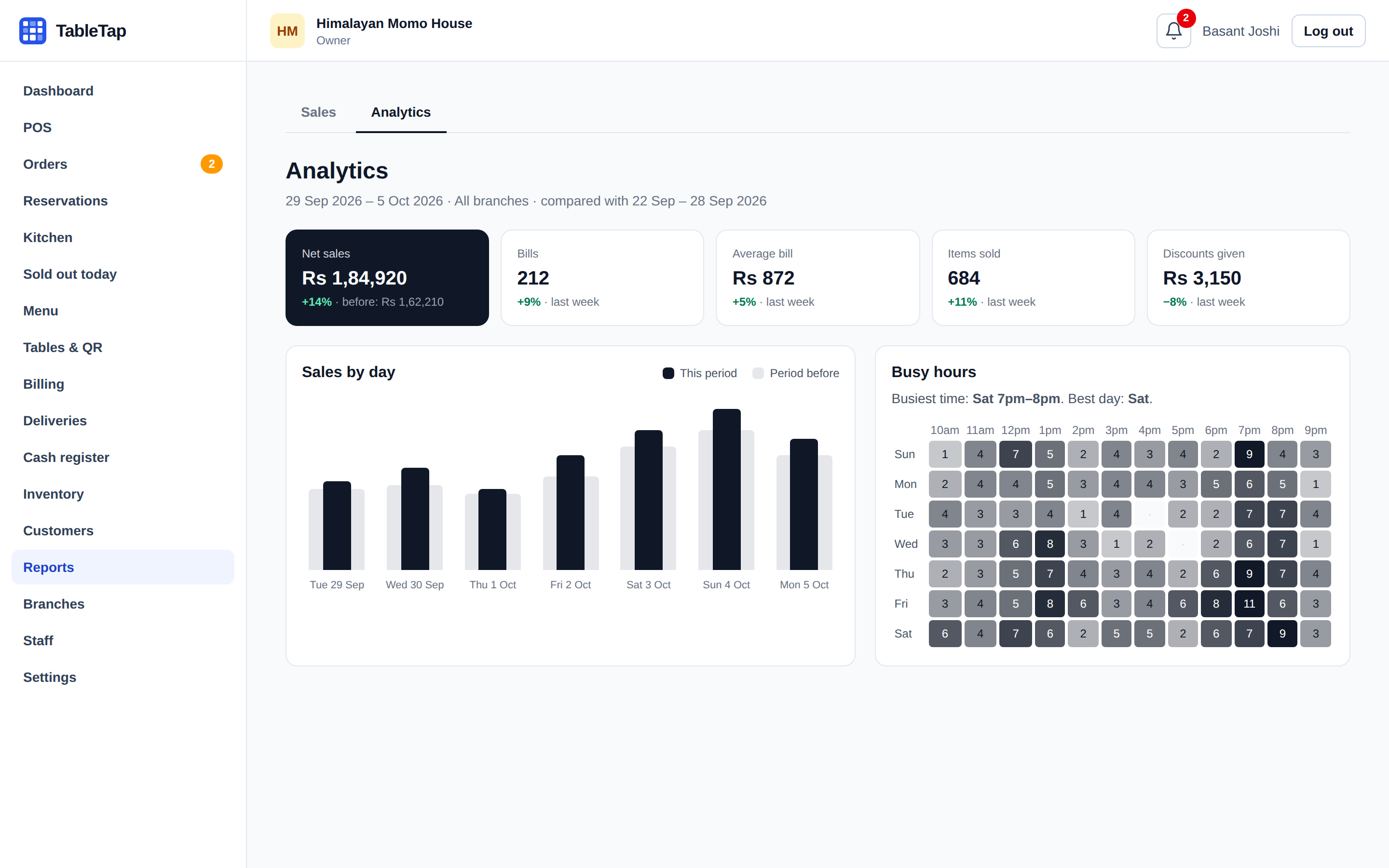
See today's sales, best dishes and busy hours from your phone, for one branch or all of them. Download the VAT book for your accountant.
- Cash drawer counts for every shift
- Stock goes down by recipe when food is sold
- Customers, loyalty points and reviews
Bills that follow Nepal rules
Every amount is calculated by TableTap, never typed by hand, so the bill is right every time.
- Service charge, then VAT
- 10% service and 13% VAT in the right order, or prices that already include VAT.
- Your PAN on every bill
- And the customer's name and PAN when a business asks for a tax invoice.
- Amount in words
- Written in lakh and crore, the way your accountant writes them.
- Locked once finalized
- Voids and refunds need a manager and a reason, and are kept on record.
HIMALAYAN MOMO HOUSE
Thamel, Kathmandu
PAN 301234567
TAX INVOICE
Eight Hundred Seventy Rupees and Ten Paisa Only
Pricing
Try everything free for 14 days. Then choose a plan and pay by eSewa or bank transfer. Pay for a year and get 2 months free.
Swipe to see all plans
Questions
Short answers to what restaurant owners ask us most.
Can't find your answer?
Talk to us
We help you set up your menu, tables and QR codes, and answer any question before you start.
Call 9765440828Do guests need to install an app?
No. They scan the QR code with their phone camera and the menu opens in the browser. It works on any phone.
What do I need to start?
A phone, tablet or computer with internet. A receipt printer is useful but not required: bills can also be saved as PDF.
Can I use it at more than one branch?
Yes. Each branch has its own tables, staff, stock and opening hours, and you see all branches together.
Is my data safe?
Each restaurant sees only its own data. Staff only see what their role allows, and money records are never deleted.
How do I pay for TableTap?
After the free trial, choose a plan in Plan & billing. You get an invoice and pay by eSewa or bank transfer. Your plan starts as soon as the payment is confirmed.
What if I don't pay after the trial?
You get 3 extra days, then the app is locked until you choose a plan. Your menu, bills and reports stay safe.
Try TableTap in your restaurant
Free for 14 days. We help you set up your menu and print the QR codes.